Theory of Music
Introduction to Music
Definition of Music
music can be define as a sweet sound that we enjoy. It’s the kind of sound that makes us happy, excited, relaxed, or even emotional.
It could be from singing, playing instruments, or even just clapping and drumming. You hear music at parties, in church, at school, during sports, in films, and even when your mum is cooking!
Fundamentals of Music
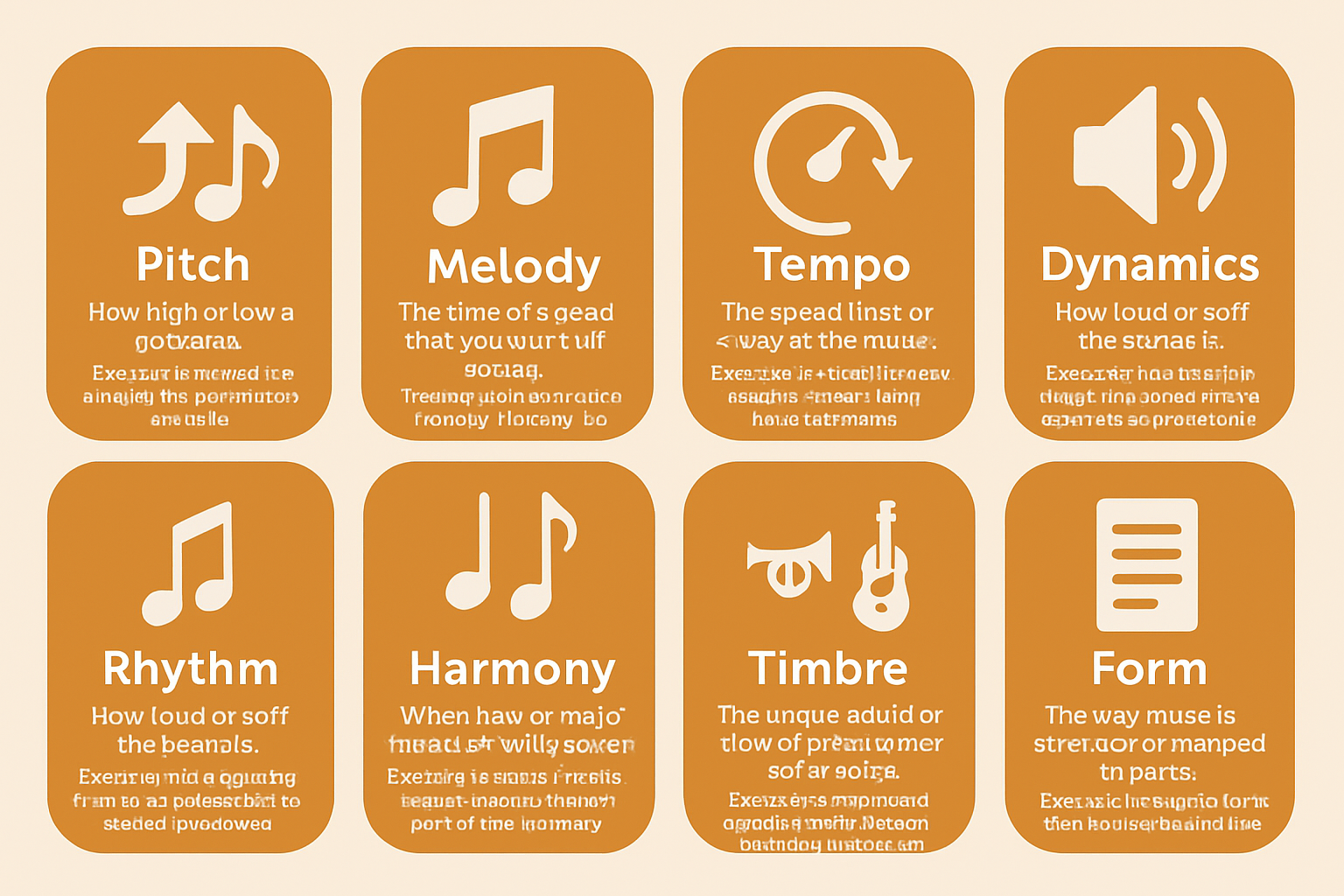
These terms describe the basic elements of music. They explain how music sounds (pitch, timbre, dynamics), how it is organized (melody, harmony, form), and how it moves in time (rhythm, tempo). Together, they help us understand and create the different qualities that make each piece of music unique.
These are the basic building blocks of music that every learner must understand:
- Pitch – How high or low a sound is.Example: A whistle has a high pitch; a drum has a low pitch.
- Melody – The tune of a song that you can hum or sing.Example: The main part you sing in “Happy Birthday” is the melody.
- Rhythm – The beat or pattern of sound (like clapping in time).Example: Clapping to a steady beat in a song is rhythm.
- Tempo – The speed (fast or slow) of the music.Example: A lullaby has a slow tempo; a dance song has a fast tempo.
- Dynamics – How loud or soft the sound is.Example: Music getting louder in a movie scene adds tension (crescendo).
- Harmony – When two or more sounds go well together.Example: In church choirs, people singing different parts create harmony.
- Timbre – The unique sound or tone of each instrument or voice.Example: A trumpet and a guitar sound different even if they play the same note.
- Form – The way music is structured or arranged in parts.Example: A song with verse–chorus–verse has a repeated form.
Study of Music in Its Entirety(why do we study music?)
The study of music involves:
- Learning how to read and write music notation
- Understanding musical instruments and how they work.
- Performing music vocally or with instruments.
- Learning about famous musicians and composers.
- Exploring the history of music in various cultures.
- Creating original music (composition)
- Listening critically to music and appreciating its form and message
How Music Works
- Notes and rhythms are arranged in patterns to create songs.
- Time signatures organize how beats are grouped.
- Key signatures tell us the tonal center of the music.
- Instruments or voices blend to create beautiful harmony.
- Repetition and variation make music interesting.
Language of Music
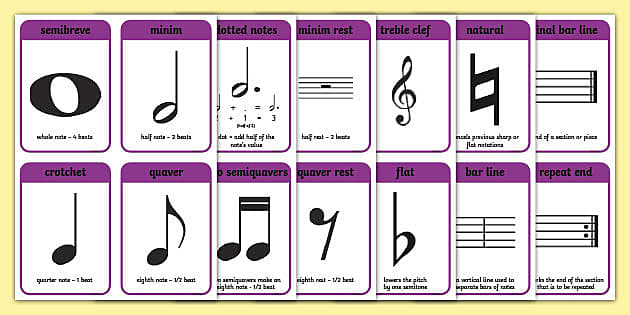
Music has its own written language known as musical notation, which includes:
- Staff – The five horizontal lines on which music is written.
- Clef – Symbol that shows pitch range (Treble clef, Bass clef).
- Notes – Symbols that represent sound.
- Rests – Symbols that represent silence.
- Time Signature – Tells how many beats in a bar and what kind of note gets one beat.
- Key Signature – Shows which notes are sharp or flat
This language is universal, meaning that musicians around the world can understand the same music sheet regardless of their native language.
Rotation and Elements of Music
This refers to how music flows and repeats:
- Repeat certain parts to make them stronger (like the chorus of a song)
- Use call and response, where one person sings something and others reply.
- Change the beat or melody to make the music interesting
Importance of Studying Music
- Develops listening and concentration skills
- To Encourages creativity and imagination.
- To Helps emotional and spiritual expression.
- To Enhances cultural appreciation.
- It Can lead to careers (e.g. composer, music producer, teacher)
- To Builds discipline and teamwork when performing in a group
Branches of Music
- Music Theory – Understanding how music works.
- Music History – Studying how music evolved over time.
- Performance – Singing or playing an instrument.
- Composition – Writing original music.
- Ethnomusicology – Study of music in different cultures.
- Music Technology – Using digital tools to produce or edit music.
Forms of Music
- Sacred music – For religious purposes (church, mosque).
- Secular music – Non-religious music for entertainment.
- Folk music – Traditional music passed through generations.
- Classical music – Formal music with structured form.
- Popular music – Modern and commercial music (hip hop, afrobeat, pop, etc.).
- Instrumental music – Music without singing.
- Vocal music – Music with singing or lyrics.
The Role of Music in Society
- Healing and therapy (music therapy).
- Communication in preliterate societies.
- National identity (anthems, folk songs).
- Political messages (protest music, freedom songs).
Famous Instruments and Their Families:
- String instruments – Violin, Guitar.
- Percussion instruments – Drum, Gong.
- Wind instruments – Flute, Trumpet.
- Keyboard instruments – Piano, Organ.
- Electronic instruments – Synthesizer, DJ mixer.
Famous Nigerian Music Genres
- Afrobeat – pioneered by Fela Kuti.
- Highlife – popular in eastern Nigeria
- Juju – led by King Sunny Ade
- Fuji – derived from traditional Yoruba music
- Gospel – used in Christian worship.
THE KEYBOARD
Meaning of the Keyboard
The keyboard is a musical instrument that produces sound when keys are pressed. It is used to play different musical notes, and it is also very important for teaching and learning music.
The keyboard consists of a set of white and black keys, arranged in a repeated pattern. This arrangement helps the player to know where each note is located.
🎵 Notes on the Keyboard
The keyboard is based on seven musical notes , which are:
After G, the notes start again from A. This cycle continues across the keyboard in what is called an octave.Each white key on the keyboard is named using one of these seven letters.
How to Identify Notes on the Keyboard 🎹
The white and black keys are arranged in a repeating pattern:
- The black keys are grouped in twos and threes.
- These groups help us find the white keys easily.
To find C:
- Look for the group of two black keys.
- The white key just before the first black key in the group of two is C.
After that, the white keys follow in order:
C – D – E – F – G – A – B – C (again)
This continues across the entire keyboard.
🎹Arrangement of Keys on the Keyboard
The keyboard is arranged in a repeating pattern of white and black keys .
- The white keys are named A to G, and they follow each other in order.
- The black keys are grouped in sets of two and three across the keyboard.
- Each black key stands for a sharp (♯) or flat (♭) note.
- The full pattern of 7 white and 5 black keys repeats again and again across the keyboard in octaves.
Importance of Learning Keyboard Notes
- It helps you to play music correctly.
- It makes learning other instruments and music theory easier.
- It is useful in reading and writing music.
- It improves your understanding of pitch, melody, and harmony.